

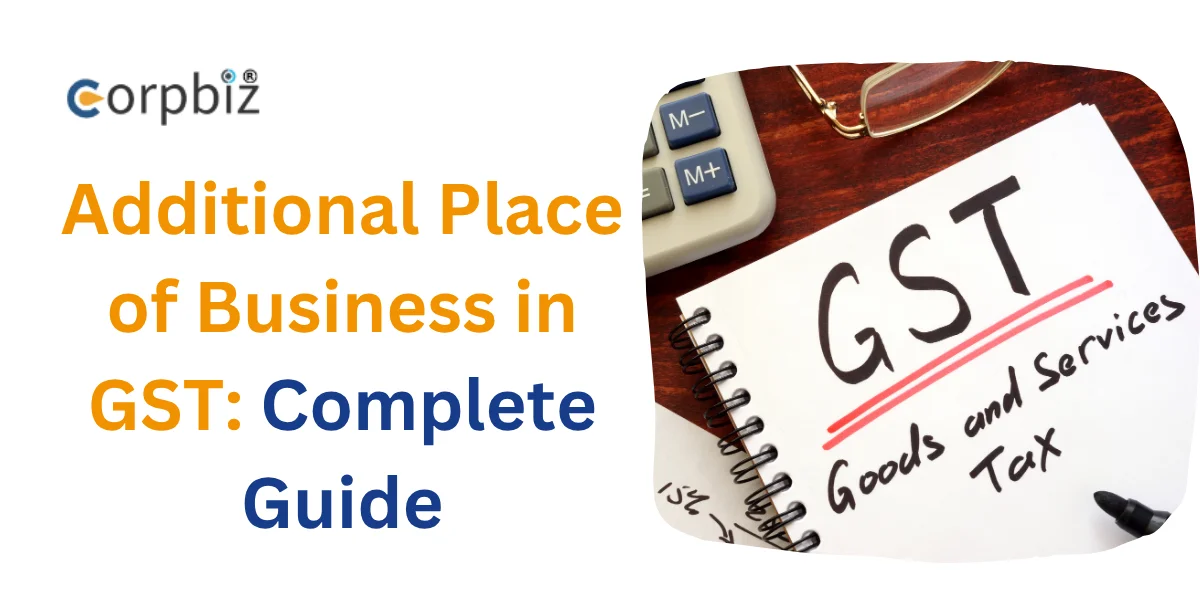
If the business is big, it is very important to follow the rules of GST properly. Many businesses open new branches, warehouses, shops, or offices within the same state. If you start a business from such a new place, you have to add that address to the GST.
In GST, your main business address is called the Principal Place of Business (PPOB). Any other place of business within the same state is called an Additional Place of Business or APOB.
This can be a new branch office, warehouse, showroom, service centre, or virtual office. Adding APOB correctly maintains GST compliance. It allows ITC benefits and avoids unnecessary fines or legal troubles.
In this guide, we will discuss the eligibility, required documents, application process, deadlines, penalties, and the new update of 2026 related to APOB.
What is an Additional Place of Business (APOB)?
Any other place of business within the same state is called an APOB. It is a place where you carry on business, store goods, or provide services.
Your main place of business is called Principal Place of Business (PPOB). It is your main office or centre of operations. APOB is an additional place of business. It is under the same GSTIN.
APOB can be added only within the same state. If you start a business in another state, you will need to obtain a fresh GST registration there.
Common examples of APOB:
- Branch office
- Warehouse or godown
- Retail shop or showroom
- Separate factory unit
- Service centre
- Virtual office for e-commerce
- Temporary stall at an exhibition or trade fair
When is it Mandatory to add APOB?
It is mandatory to add APOB if you start working from a new place of business within the same state. This change must be updated on the GST portal within 15 days of starting business at the new location.
It is mandatory to add APOB in the following situations:
- Opening a new branch office
- Opening a new branch in another city or area of the same state
- Using a new warehouse or storage
- A separate warehouse for storing goods
- Opening a new retail outlet
- Opening a new shop, showroom or sales center
- Starting a new service center
- Separate center for customer service or repairs
- If you are doing business from multiple locations in the same state
- All locations have to be declared in GST.
Talk To Expert

Get Expert Help for GST APOB Registration
(4.8)


Who Should Register for APOB?
APOB registration is very important for businesses that operate from multiple locations within the same state. It is a legal obligation and a part of proper GST compliance.
The following types of businesses should register for APOB:
- Businesses operating from multiple locations
- Retail chains and franchise businesses
- Manufacturers with separate warehouses
- E-commerce sellers using different storage hubs
- Service-based businesses with multiple offices
- Businesses expanding to new cities or districts in the same state
If your business operates from any other location apart from the main office, then that location should be added as APOB for GST. This will not cause any compliance issues in the future.
Why is APOB Registration Important?
APOB registration is an important part of GST compliance. If you run a business from multiple places in the same state, it is important to declare each place in GST. This keeps your business within the law and reduces hassles in the future.
The key benefits of APOB registration are:
- Ensures full compliance with GST laws
- Easy issuance of invoices from all business places
- Facilitates claiming Input Tax Credit (ITC)
- Avoids fines, notices and legal complications
- GST audits and inspections become much easier
- Increases credibility with suppliers, customers and investors
- Reduces problems in e-way bills, invoice matching and stock movement
APOB registration makes your business more orderly, secure, and legal. It reduces future risks and gives confidence to grow the business.
Read more – Fast-Track GST Registration: How New Reforms Are Speeding Up Business Onboarding
Eligibility and Basic Conditions for Adding APOB
Some basic conditions need to be met before adding APOB. These make the application process much easier.
- You must have an active GST registration.
- The new business location must be within the same state.
- The business must have started from that location, or there is a plan to start very soon.
- There must be proof of a valid address of the premises.
- If it is rented, then a rental agreement and NOC of the owner will be required.
- If it is your own property, then proof of ownership will have to be submitted.
- The application must be submitted through the GST portal.
- It must be submitted and verified by an Authorized Signatory.
If these conditions are met, the process of adding APOB can be completed easily and quickly.
Documentation for Registration of an APOB in India
It is very important to submit correct and clear documents during APOB registration. This will get the application approved quickly and reduce the chances of additional queries.
The required documents are:
- Proof of address
such as electricity bills, water bills, municipal tax receipts, etc.
- Recent Utility Bill
It should not be more than 3 months old.
- Rent Agreement
If the space is rented.
- NOC (No Objection Certificate)
From the property owner.
- Property Tax Receipt
If space is yours.
- Photograph of the premises
Clear photographs of the interior and exterior.
- Bank account details
a cancelled cheque.
- PAN card and photograph of Authorised Signatory (Acceptable file formats):
- JPEG
- PNG
Additional documents may also be required:
- Consent letter from the virtual office provider
- Site map
- Certain clauses of the lease agreement
Submitting the correct documents also reduces the time it takes to get approved.
Authorised Signatory and Business Activity Declaration
The role of an authorized signatory is very important when adding APOB.
To become an authorized signatory:
- Must be registered on the GST portal
- Must have valid login details
- Must be linked to the GST profile of the business
The following methods while submitting the application:
- DSC (Digital Signature Certificate)
- EVC (Electronic Verification Code)
- Aadhaar OTP
Remember, the authorized signatory is legally responsible for all the information submitted.
The type of business to be carried out in the new APOB should also be clearly stated. For example:
- Storage or warehousing
- Sales activities
- Production or manufacturing
- Office management
- Service provision
- Import-export related work
Providing accurate information will speed up approval and avoid any compliance issues in the future.
Why is APOB a Core Amendment in GST?
Some changes in GST registration are called “core amendments.” These are important details that are directly related to the identity, structure, or operations of your business. Adding an APOB is also a core amendment.
Some common examples of Core Amendments:
- Principal Place of Business (Main Business Address)
- Additional Place of Business (Additional Business Place)
- Business Constitution (e.g. Proprietorship, Partnership, Company)
- Legal Name of Business
- Authorized Signatory Information
Importantly, after submitting a Core Amendment, it does not take effect immediately. It is reviewed by the concerned officer of the GST department. The change becomes effective only after the officer approves it.
Step-by-step Process of Adding APOB in GST Portal
The entire process of adding APOB can be done online through the GST portal. There is no government fee. You can easily apply by following the steps below.
Step 1: Login to the GST Portal
First, go to the GST Portal. Log in with your GSTIN, username, password, and captcha.
Step 2: Go to Amendment of Registration
After logging in, follow this path:
Services > Registration > Amendment of Registration (Core Fields)
The application to add APOB will start here.
Step 3: Enable the “Have Additional Places of Business” option
If you do not have APOB in your GST registration earlier, then you need to set this option to Yes first.
- Go to the Business Details or Principal Place of Business tab
- Select “Yes” in the “Have Additional Places of Business?” option
- Then click Save & Continue
Step 4: Open the APOB tab and click “Add New”
Now go to the Additional Places of Business tab. Click on the Add New button here.
If you want to add multiple new places, you can add them one by one.
Step 5: Enter new location information
Here, all the details of the new business location should be entered correctly.
For example:
- Complete address
- PIN code
- Type of ownership of the location (Own / Rented / Leased / Shared)
- Type of business will be there (For example: Storage, Retail, Manufacturing, Office, Service)
While entering the address, the GST portal also shows some suggestions.
Step 6: Enter the effective date and reason
Now mention:
- Date of starting business from the new location
- Reason for adding APOB
Example: “New branch office opened” or “New warehouse established”
Step 7: Upload required documents
Now upload the supporting documents. For example:
- Address proof
- Rent agreement
- NOC
- Utility bill
- Premises photo
All files should be clear and within the prescribed size.
Step 8: Verify and submit the application
Check all the details again carefully. Then select the authorized signatory.
Then verify using any of the following methods:
- DSC
- EVC
- Aadhaar OTP
Once the application is successfully submitted, an Application Reference Number (ARN) will be generated immediately.
- ARN is usually generated instantly
- Confirmation is sent via SMS and email within 15 minutes
How to Check Application Status?
Process:
Services > Registration > Track Application Status
Here you can check the status of your application using the ARN.
Possible statuses:
- Submitted
- In Process
- Approved
- Rejected
Processing Time and Government Fees
The best part about adding APOB is that there is no government fee for it.
Important Information:
- Government Fee: ₹0 (Completely Free)
- ARN Generation: Immediately after submission of the application
- Processing Time: Usually, 3 to 15 working days
- Approval: Updated in GST records online
- Draft Save Facility: Incomplete applications are saved for up to 15 days
Once the application is approved, your GST registration certificate gets updated. The new APOB will be added here. So, it is very important to apply on time.
What to do after APOB Approval?
There are some important things to do after approval of APOB. If done properly, your GST compliance will be maintained.
- Download the updated GST Registration Certificate (REG-06)
The new APOB will be added here.
- The new location will be added under the same GSTIN
No separate GST number is required if the location is in the same state.
- The new location will be legally recognized
Now you can legally do business from that location.
- Invoices can be issued from that location
The correct address should be mentioned in the invoice.
- Maintain separate and accurate records
Keep stock, sales, purchases, and other documents properly.
- Map ITC and transactions correctly
Which transaction belongs to which location should be clearly shown.
This will facilitate future audits or verifications.
What are the Penalties for not Declaring APOB?
If you do not add APOB on time or provide incorrect information, you can face penalties under the GST law.
- Not declaring a new place of business
This is considered a violation of GST rules.
- Issuing invoices from an undeclared place
This creates serious compliance issues.
- Incorrectly claiming ITC
Transactions made from an undeclared place may result in the cancellation of the ITC.
- Not filing amendments on time
It should be updated within 15 days of the opening of the new place.
- Not responding to the GST officer’s notice
This may also result in the cancellation of the application.
Possible penalty:
- Penalty of ₹25,000 or more
- ITC reversal and interest thereon
- Rejection of the amendment application
- Need to reapply
Additionally, an undeclared place poses a big risk during a GST audit. It may also lead to additional investigation.
Mistakes to Avoid while Applying for APOB
Even a small mistake while adding APOB can lead to the delay or cancellation of an application. So, it is better to be careful in advance.
- Providing an incorrect or incomplete address
If the address is misspelt or missing information, the application may be rejected.
- Uploading old utility bills
Bills older than 3 months are not accepted.
- Not providing the landlord’s NOC in case of rent
If there is no NOC, the GST department may raise objections.
- Not writing the business activity clearly
For example, just writing “Business” is not acceptable. Storage, retail, or service should be clearly mentioned.
- Not checking the ARN status regularly
If the officer wants any clarification, it may be missed.
- Trying to add an address in another state to the same GSTIN
This is not possible. A separate GST registration will be required.
- Uploading blurry or poor-quality documents
Blurry documents can delay the application.
If correct information and clear documents are provided, approval is obtained quickly.
New Updates on GST APOB in 2026
Several important improvements have been made to the GST portal in 2026. The process of adding APOB has now become easier, faster, and more user-friendly.
The new updates include:
- Digital document verification has been improved
- Aadhaar OTP verification is now faster than before
- The dashboard for tracking the status of the application is clearer
- The application can be easily applied from mobile phones as well
- Many steps are now automated, reducing the chances of errors
These changes have enabled traders to apply in less time. Tracking the application has also become easier. This is beneficial for small businesses.
How can Corpbiz help your Business?
While APOB registration may seem simple, correct documents, accurate information, and timely filing are crucial. Corpbiz can be your reliable compliance partner. We help you through the entire process from start to finish.
Our Services:
- Full support in APOB registration
- Document preparation and verification
- GST Core Amendment filing
- Answering GST department queries or notices
- ARN tracking and regular follow-up
Corpbiz makes your business compliance easy, fast, and hassle-free with the help of experienced experts. You can focus on growing your business with this.
Conclusion
It is very important to add APOB on time when starting a new business location within the same state. This is not just a rule of GST law but also a part of proper business compliance. Each of your functional locations should be declared in GST.
Proper APOB registration ensures ITC benefits, avoids penalties, and keeps business operations running smoothly. The entire process has become easier, faster, and more transparent with the new update of the GST portal in 2026.
Corpbiz is always there for you to complete the process in a hassle-free way. We help with APOB registration for other GSTs, licensing, and legal compliance. So, contact us today for guidance about APOB.
Helpful Questions About Additional Place of Business in GST
What is an Additional Place of Business (APOB) in GST?
APOB is any other place of business located in the same state other than your main business address. For example, a warehouse, branch office, shop, showroom, or service centre. If you conduct business, store goods, or provide services from this place, then it is mandatory to register it as APOB in GST.
Is APOB registration mandatory for the warehouse?
Yes, if you use any warehouse or storage unit, then it has to be added as APOB in GST. If goods are stored, packed, or distributed in the warehouse, it is considered part of the business. If the warehouse is not registered, it can cause problems in GST audits and also create complications with ITC claims.
Can APOB be added to another state under the same GSTIN?
No, APOB can be added only within the same state. If you want to open a new office, shop, or warehouse in another state, then you will have to take a separate GST registration there. A separate GSTIN is required for each state. Interstate APOB cannot be added with the same GSTIN.
How long do I have to add a new APOB after starting operations?
APOB should be added to the GST portal within 15 days of starting operations from the new business location. This is an important rule of GST compliance. If you do not update it on time, you may get a penalty or notice. So, it is better to add APOB as soon as possible after opening a new branch, warehouse, or office.
Is there any government fee for adding APOB?
No, the government does not charge any fee for adding APOB. Adding APOB on the GST portal is completely free. However, if you take the help of a professional or consultant, their service charges may apply. Since there is no government fee, it is a cost-effective compliance process for businesses.
What are the documents required for APOB registration?
Usually, proof of address, a recent electricity or water bill, a rent agreement, an NOC of the owner, a property tax receipt, a picture of the premises, bank details, and a PAN and a photo of the authorized signatory are required. All the documents should be clear. The GST department may also ask for additional documents, such as a site map or a virtual office consent letter.
How long does it take to get APOB approval?
It takes 3 to 15 working days to get an APOB application approved. An ARN is generated immediately after the application is submitted. You can track the application using that ARN. If all the documents are in order, the approval is quick. However, it may take a little longer if the GST officer asks for additional information.
What can happen if you do not register additional business premises?
If you do not declare the new business premises in GST, they will be considered a violation of the GST laws. So, you may face fines, notices, or audits. Also, questions may arise about the transactions made from those premises. Business operations may also be disrupted. So, it is very important to add APOB on time.
Can ITC be claimed from unregistered additional business premises?
If a place is not registered as an APOB under GST, then it is risky to claim Input Tax Credit (ITC) on purchases made from that place. The GST department can cancel such ITC. It may even have to refund the ITC with interest. So, all business premises should be properly registered to protect ITC.
How does Corpbiz help with APOB registration and GST compliance?
Corpbiz helps with the entire APOB registration process. We prepare documents, file applications, and help answer queries from the GST department. Apart from this, we also provide services like ARN tracking, GST amendment, return filing, LUT filing, e-invoicing, FSSAI, ISO, trademark, and company incorporation. This makes your compliance work a lot easier.
Read more – How to Add Multiple Businesses Under the Same GST Number?